Open to work

Belle McCaffrey

UX & Service Designer · Business Analyst

Full-time · Part-time · Contract

I want to build patient portals that make healthcare more approachable to both patients and their providers.

If you have a problem, I’ll find a way to solve it.

Belle McCaffrey smiling, wearing a dark green blouse Chicago hybrid or remote

Why patient portals

Portals are everything.

I’ve seen a portal at its worst and at its best. Once, it froze in the middle of a message to my doctor and I couldn’t get back in. Another time, a portal message to my therapist got me the support I needed in the moment I needed it most.

Portals are the front door to care. They’re the most direct line patients have to manage their own care, and the most direct line providers have to their patients between visits. Trying to squeeze a problem visit into a 15-minute follow-up is frustrating all around. When portals work, care feels within reach. When they don’t, people get stuck on the other side of a screen.

This is where I come in. I listen to the people using the system, find where it breaks, and design something better.

I’m going to build portals that work for everyone, on both sides of the screen.

Mobile, tablet & web design

Designed and built, from first idea to working app

Calm, thoughtful products that meet people where they are.

Mobile app In progress

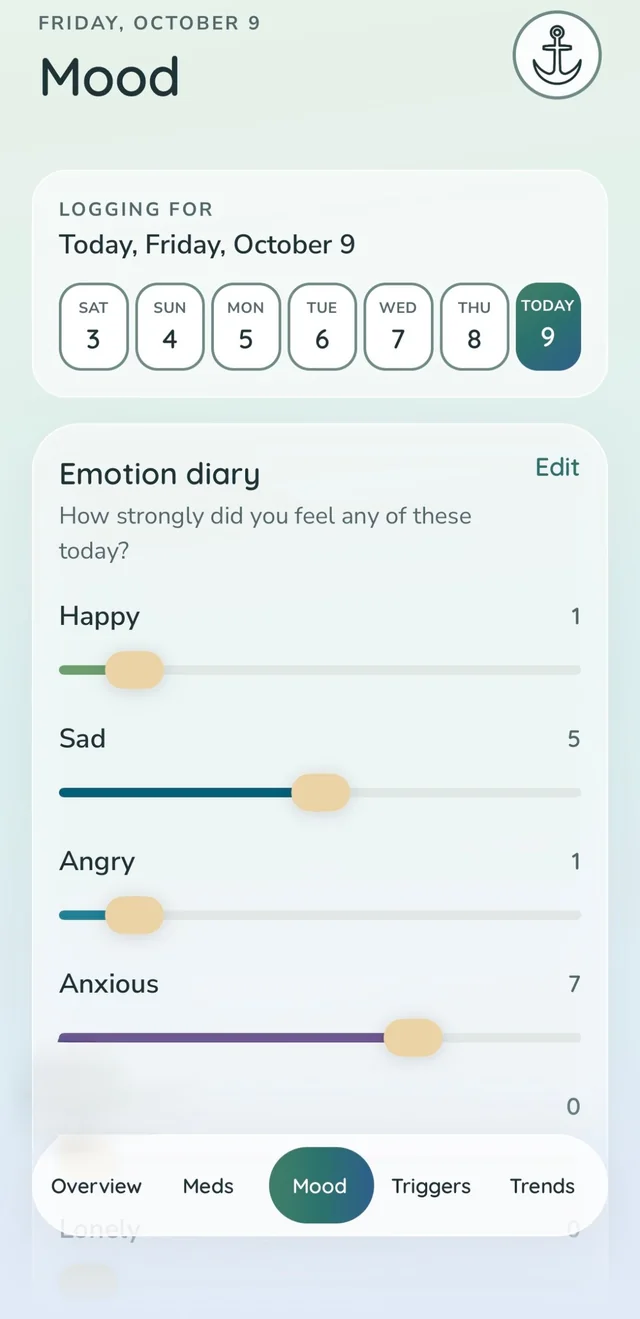
Mental health companion app

Mood tracking, coping tools, and crisis support in one private space. Every screen is designed to meet users where they are: soft colors, plain language, and help that’s always a tap away.

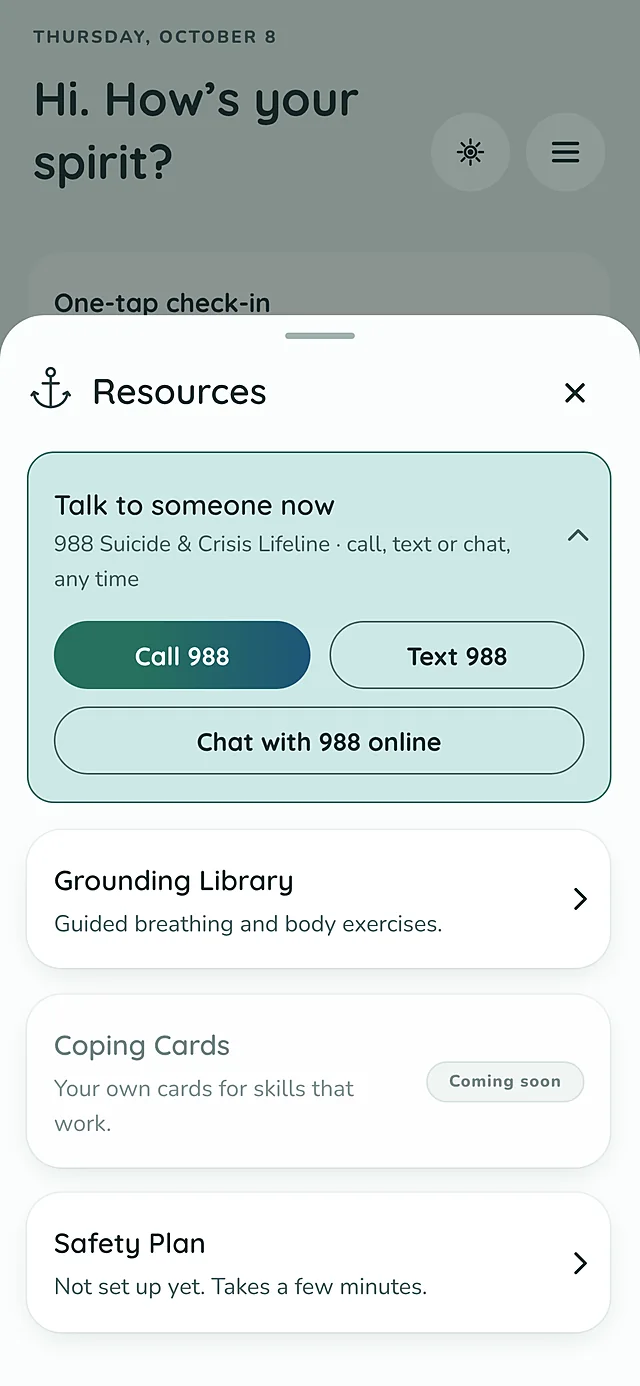
  • Crisis support one tap away from any screen
  • A gentle daily emotion diary
  • Coping cards that users can edit or create from scratch
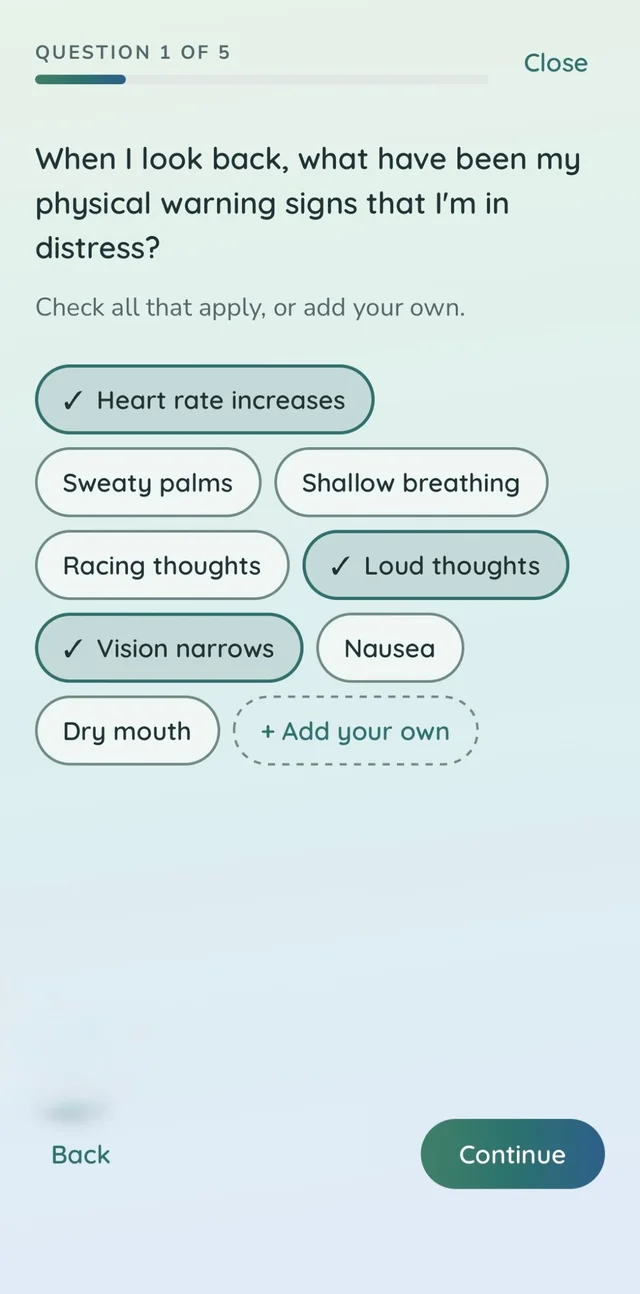
  • Guided exercises that form a personal safety plan
  • UX design
  • Mobile design
  • Claude Design
  • Claude Code
  • Expo
  • SwiftUI
  • GitHub
Mood screen with a week of days to log and an emotion diary with sliders for happy, sad, angry, and anxious
Resources sheet with buttons to call, text, or chat with the 988 Suicide and Crisis Lifeline, plus a grounding library and safety plan
Safety plan question asking about physical warning signs of distress, with selectable options like heart rate increases and vision narrows
Mobile, tablet & web app Launching soon

Productivity app

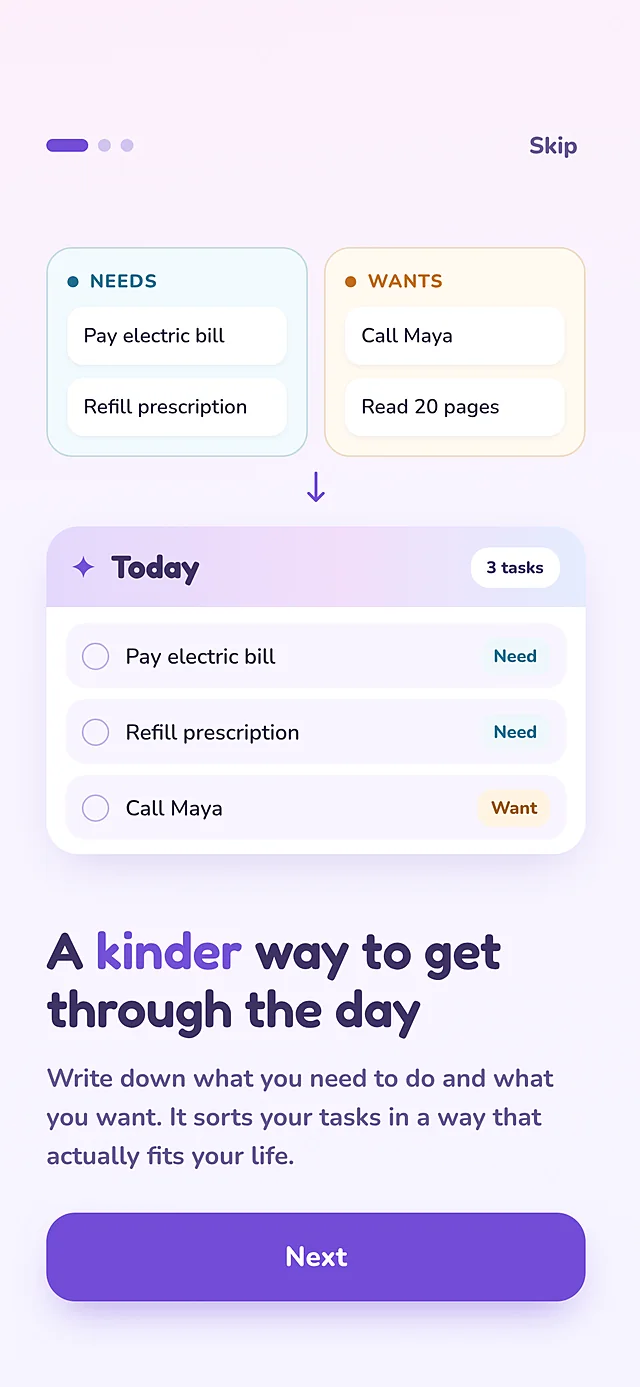
“A kinder way to get through the day.” A planner built around needs and wants, so people can sort what has to happen from what they’d like to happen, without the guilt of a never-ending list. Launching in the App Store soon.

  • Tasks sorted into needs and wants, so priorities are clear at a glance
  • Drag-and-drop planning for today, tomorrow, or someday
  • Unscheduled tasks return to their list on their own
  • Works on phone, tablet, and as an installable web app
  • Built to meet WCAG 2.2 AA accessibility standards, so it works for all users
  • UX design
  • Responsive design
  • Accessibility
  • Claude Design
  • SwiftUI
  • GitHub
Onboarding screen showing needs and wants flowing into a Today list, titled A kinder way to get through the day
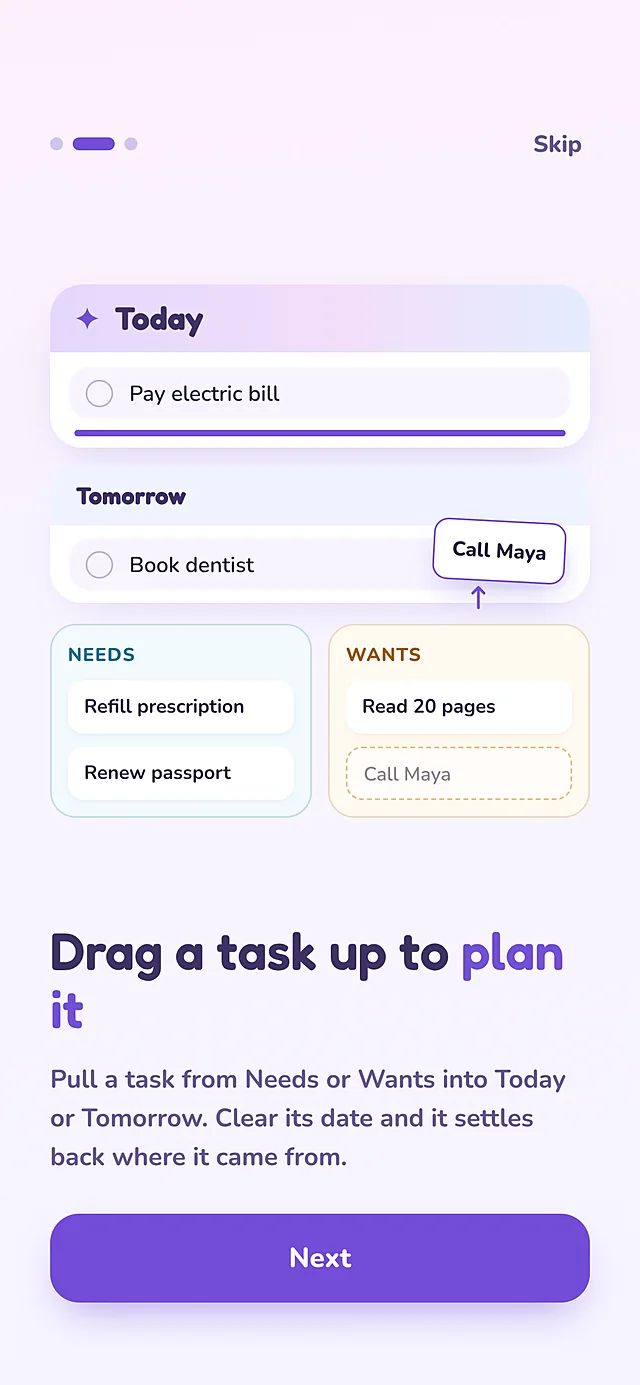
Onboarding screen showing a task being dragged from Wants up into Tomorrow, titled Drag a task up to plan it
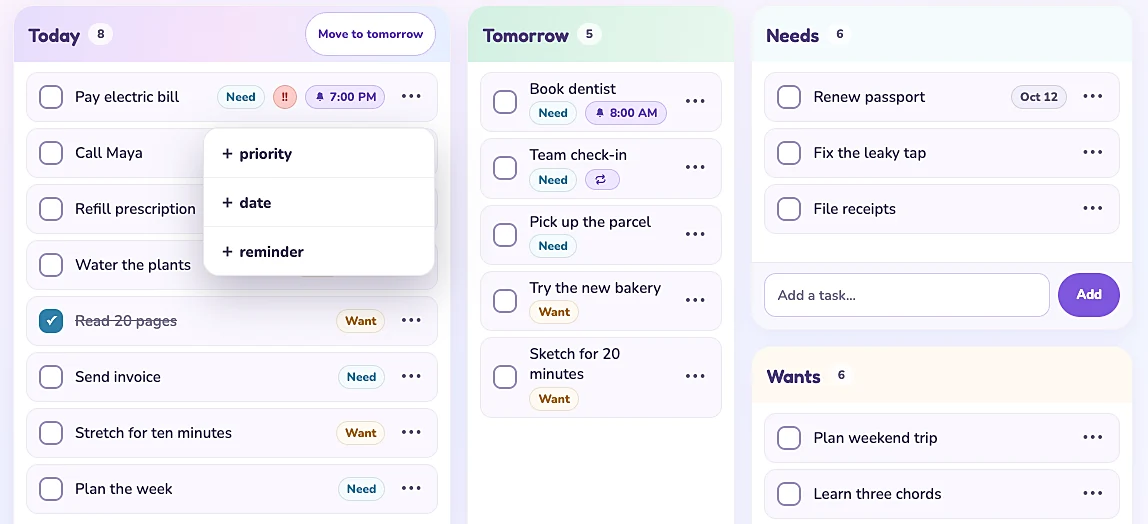
Tablet layout with Today, Tomorrow, Needs, and Wants columns side by side and a quick menu to add priority, date, or reminder
Website design & build

A welcoming website for a small business

A site for a Chicago professional organizing business, designed to feel as peaceful as the service itself. The audience often arrives feeling overwhelmed, so every choice works to lower the stress of getting started.

  • Soft, warm visuals that make a gentle first impression
  • Plain-language, zero-judgement copy
  • Transparent, step-by-step pricing
  • One clear path to booking a first conversation
  • Web design
  • Claude Code
  • WordPress
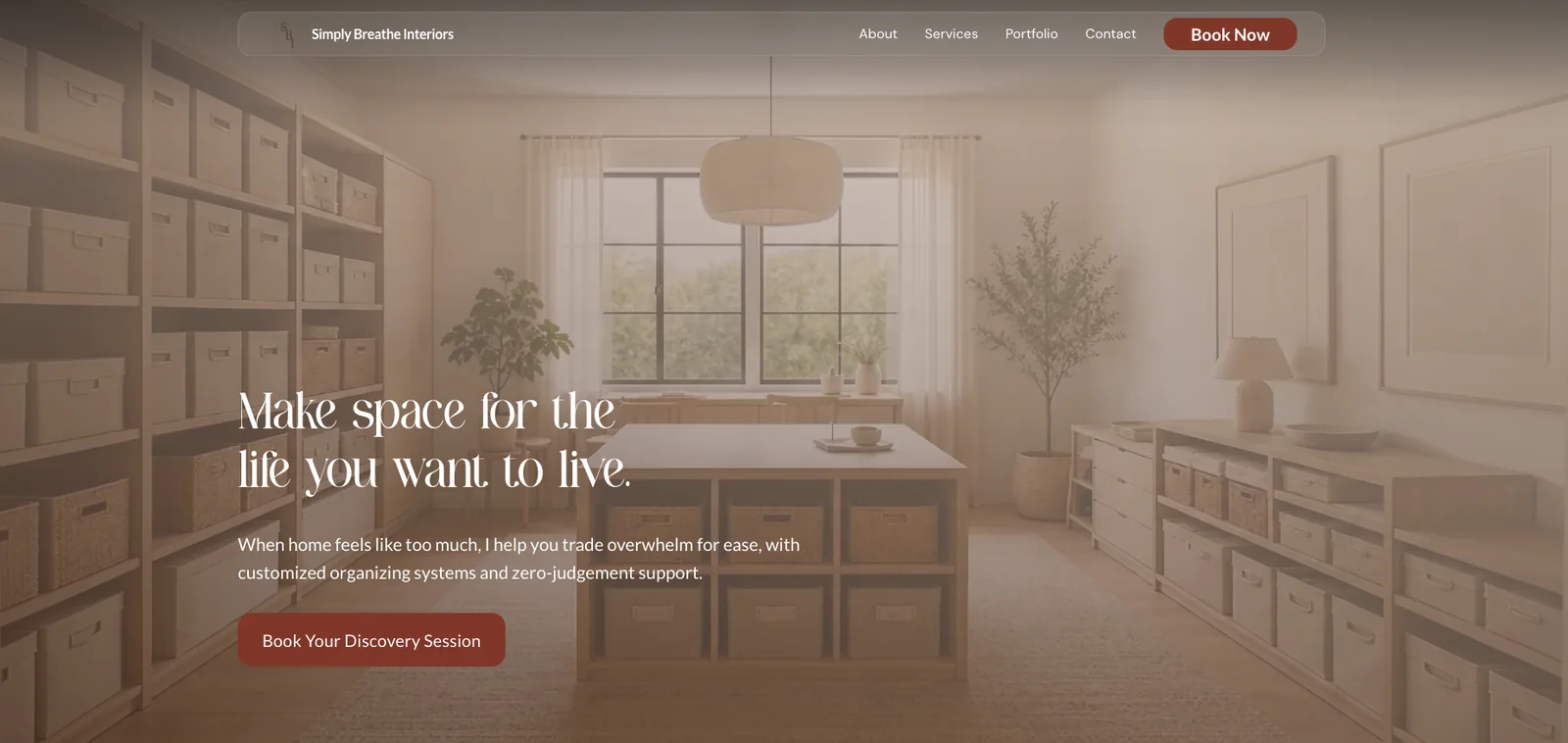
Website home page with a softly lit organized room and the headline Make space for the life you want to live
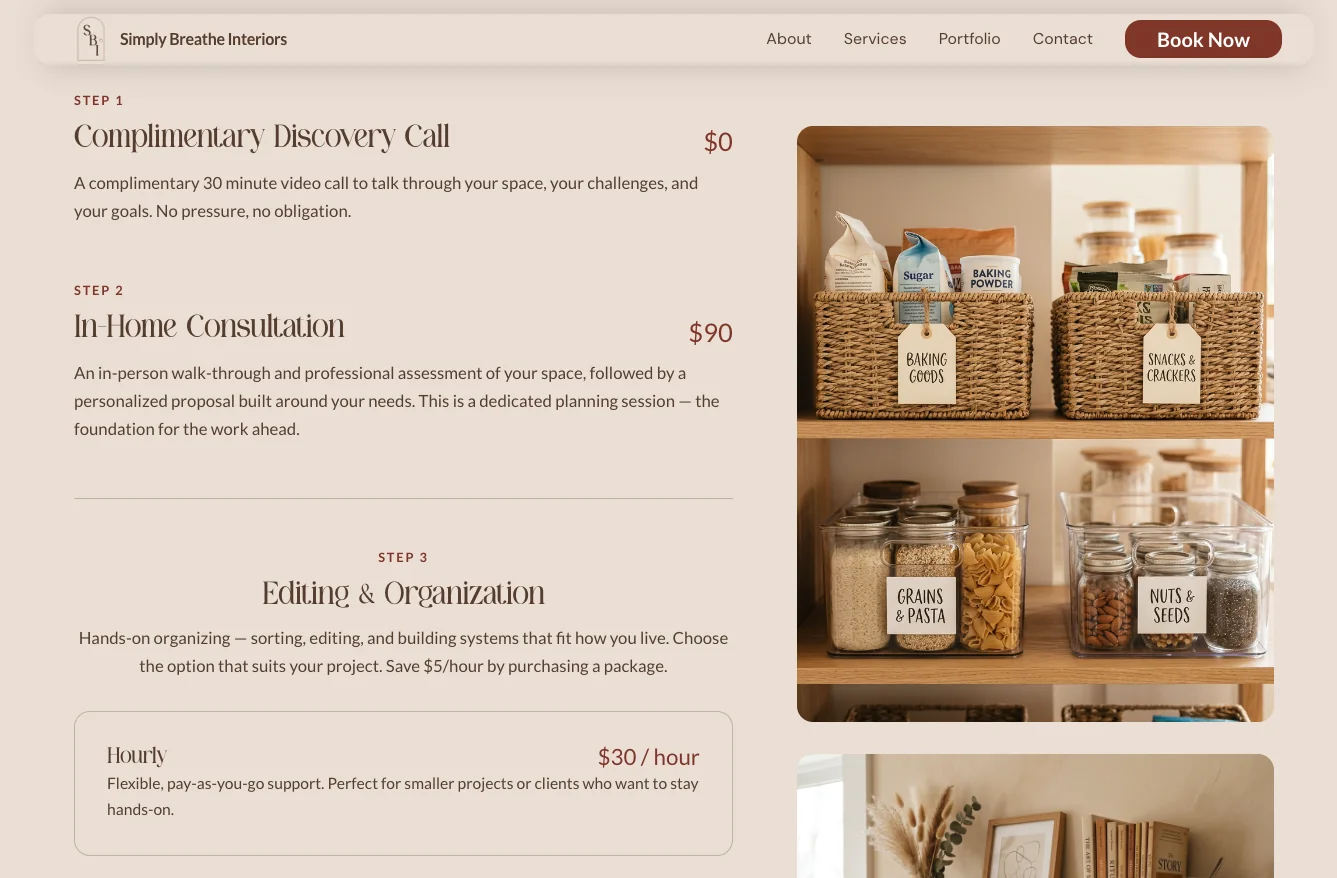
Services page listing three steps, from a complimentary discovery call to hands-on organizing, beside a photo of a labeled pantry

Business analysis

Case studies

Listening to the people doing the work, then designing the systems that make their day easier.

Case study 01

I led the design and build of a custom CRM for sales teams across North America

I redesigned the daily workflow for a 150+ person sales team by leading a custom CRM from first user interview through a launch-ready product, including a successful pilot and company-wide trainings.

My role
Business analyst and project lead
Team
UX designers, front- and back-end developers, and QA/UAT testers
Users
Sales staff
Timeline
A full year of development
  1. ListenUser interviews with sales staff to find what wasn’t working
  2. PrototypeTurned requirements into a prototype alongside a UX designer
  3. BuildManaged front- and back-end developers through a full year of development
  4. Pilot & trainPiloted with beta testers and trained the sales team on guided workflows I designed
Launch-readyDelivered a complete, tested CRM after a year of development
Proven in a pilotBeta testers and a pilot group used it successfully in their daily work
A full training libraryVideo walkthroughs, live application tutorials, and AI-guided training manuals
  • User research
  • Requirements
  • Service design
  • Project management
  • SQL
  • Training

Case study 02

Turning competing IT priorities into a clear, quarterly management system

In a global sales organization, requests for IT came from every direction. I was accountable for managing IT stakeholder priorities, so I built the process that took a request from a salesperson’s idea all the way to the executive table.

My role
Business Analyst
Stakeholders
Global sales team, IT, and C-level leadership
Cadence
Quarterly planning
  1. IntakeA workflow I created for staff to submit their priority requests
  2. TriageI reviewed, clarified, and sorted every request
  3. DashboardAdded to the Priorities Dashboard I built
  4. Executive reviewPresented to C-level stakeholders to weigh trade-offs together
  5. Quarterly roadmapAgreed on what IT would work on until the next quarter
  • Stakeholder management
  • Prioritization
  • Process design
  • Dashboards & reporting
  • Executive communication

Skills & tools

How I work

The full product lifecycle, from the first conversation with users to the day they’re trained and confident.

Research

  • User interviews
  • Requirements gathering
  • Process mapping
  • Bug and enhancement reports

Design

  • UX design
  • Service design
  • Prototyping
  • Mobile, tablet, and web

Delivery

  • Project management
  • Stakeholder management
  • Developer collaboration
  • End-user training

Tools I use

Design

  • Claude Design
  • Adobe Creative Cloud
  • Canva

Build

  • Claude Code
  • SwiftUI
  • Expo
  • GitHub
  • WordPress

Data & dashboards

  • SQL
  • Power BI
  • Google Sheets (advanced)
  • Excel

Projects & training

  • ClickUp
  • Asana
  • Tango
  • Loom

Let’s connect

Need a solution?

I’d love to hear about roles, contracts, or projects, especially in healthcare.
Introductions are always appreciated.

Open to full-time, part-time, and contract work

Location hybrid within ~30 min of West Town (Chicago), or fully remote in any North American time zone

Thank you. A share or an introduction means more than you know.